 remb
rembtemplate.js
Last updated April 23, 2026
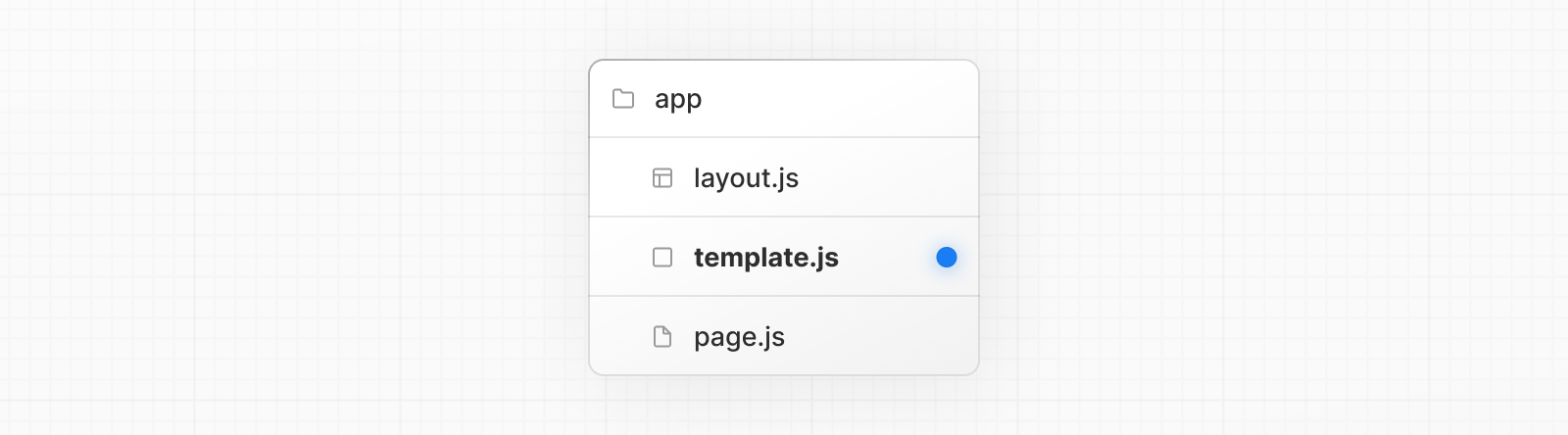
A template file is similar to a layout in that it wraps a layout or page. Unlike layouts that persist across routes and maintain state, templates are given a unique key, meaning children Client Components reset their state on navigation.
They are useful when you need to:
- Resynchronize
useEffecton navigation. - Reset the state of a child Client Components on navigation. For example, an input field.
- To change default framework behavior. For example, Suspense boundaries inside layouts only show a fallback on first load, while templates show it on every navigation.
Convention
A template can be defined by exporting a default React component from a template.js file. The component should accept a children prop.
app/template.tsx
JavaScriptTypeScript
export default function Template({ children }: { children: React.ReactNode }) {
  return <div>{children}</div>
}
In terms of nesting, template.js is rendered between a layout and its children. Here's a simplified output:
Output
<Layout>
  {/* Note that the template is given a unique key. */}
  <Template key={routeParam}>{children}</Template>
</Layout>
In the component hierarchy, template.js renders between layout.js and error.js. It wraps error.js, loading.js, not-found.js, and page.js, but does not wrap the layout.js in the same segment.
Props
children (required)
Template accepts a children prop.
Output
<Layout>
  {/* Note that the template is automatically given a unique key. */}
  <Template key={routeParam}>{children}</Template>
</Layout>
Behavior
- Server Components: By default, templates are Server Components.
- With navigation: Templates receive a unique key for their own segment level. They remount when that segment (including its dynamic params) changes. Navigations within deeper segments do not remount higher-level templates. Search params do not trigger remounts.
- State reset: Any Client Component inside the template will reset its state on navigation.
- Effect re-run: Effects like
useEffectwill re-synchronize as the component remounts. - DOM reset: DOM elements inside the template are fully recreated.
This section illustrates how templates behave during navigation. It shows, step by step, which templates remount on each route change and why.
Using this project tree:
app
├── about
│   ├── page.tsx
├── blog
│   ├── [slug]
│   │   └── page.tsx
│   ├── page.tsx
│   └── template.tsx
├── layout.tsx
├── page.tsx
└── template.tsx
Starting at /, the React tree looks roughly like this.
Note: The
keyvalues shown in the examples are illustrative, the values in your application may differ.
Output
<RootLayout>
  {/* app/template.tsx */}
  <Template key="/">
    <Page />
  </Template>
</RootLayout>
Navigating to /about (first segment changes), the root template key changes, it remounts:
Output
<RootLayout>
  {/* app/template.tsx */}
  <Template key="/about">
    <AboutPage />
  </Template>
</RootLayout>
Navigating to /blog (first segment changes), the root template key changes, it remounts and the blog-level template mounts:
Output
<RootLayout>
  {/* app/template.tsx (root) */}
  <Template key="/blog">
    {/* app/blog/template.tsx */}
    <Template key="/blog">
      <BlogIndexPage />
    </Template>
  </Template>
</RootLayout>
Navigating within the same first segment to /blog/first-post (child segment changes), the root template key doesn't change, but the blog-level template key changes, it remounts:
Output
<RootLayout>
  {/* app/template.tsx (root) */}
  <Template key="/blog">
    {/* app/blog/template.tsx */}
    {/* remounts because the child segment at this level changed */}
    <Template key="/blog/first-post">
      <BlogPostPage slug="first-post" />
    </Template>
  </Template>
</RootLayout>
Navigating to /blog/second-post (same first segment, different child segment), the root template key doesn't change, but the blog-level template key changes, it remounts again:
Output
<RootLayout>
  {/* app/template.tsx (root) */}
  <Template key="/blog">
    {/* app/blog/template.tsx */}
    {/* remounts again due to changed child segment */}
    <Template key="/blog/second-post">
      <BlogPostPage slug="second-post" />
    </Template>
  </Template>
</RootLayout>
Version History
| Version | Changes |
|---|---|
v13.0.0 | template introduced. |
Was this helpful?