 remb
rembDocumentation Index
Fetch the complete documentation index at: https://resend.com/docs/llms.txt
Use this file to discover all available pages before exploring further.
Anything is a platform for building web sites, tools, apps, and projects via chat. With their Resend integration, you can send emails from your Anything project. If you prefer to watch a video, check out our video walkthrough below.
[
](#1-call-the-resend-integration-in-anything)
1. Call the Resend integration in Anything
Type /Resend in the chat and select the integration, and ask Anything to add email functionality to your project. 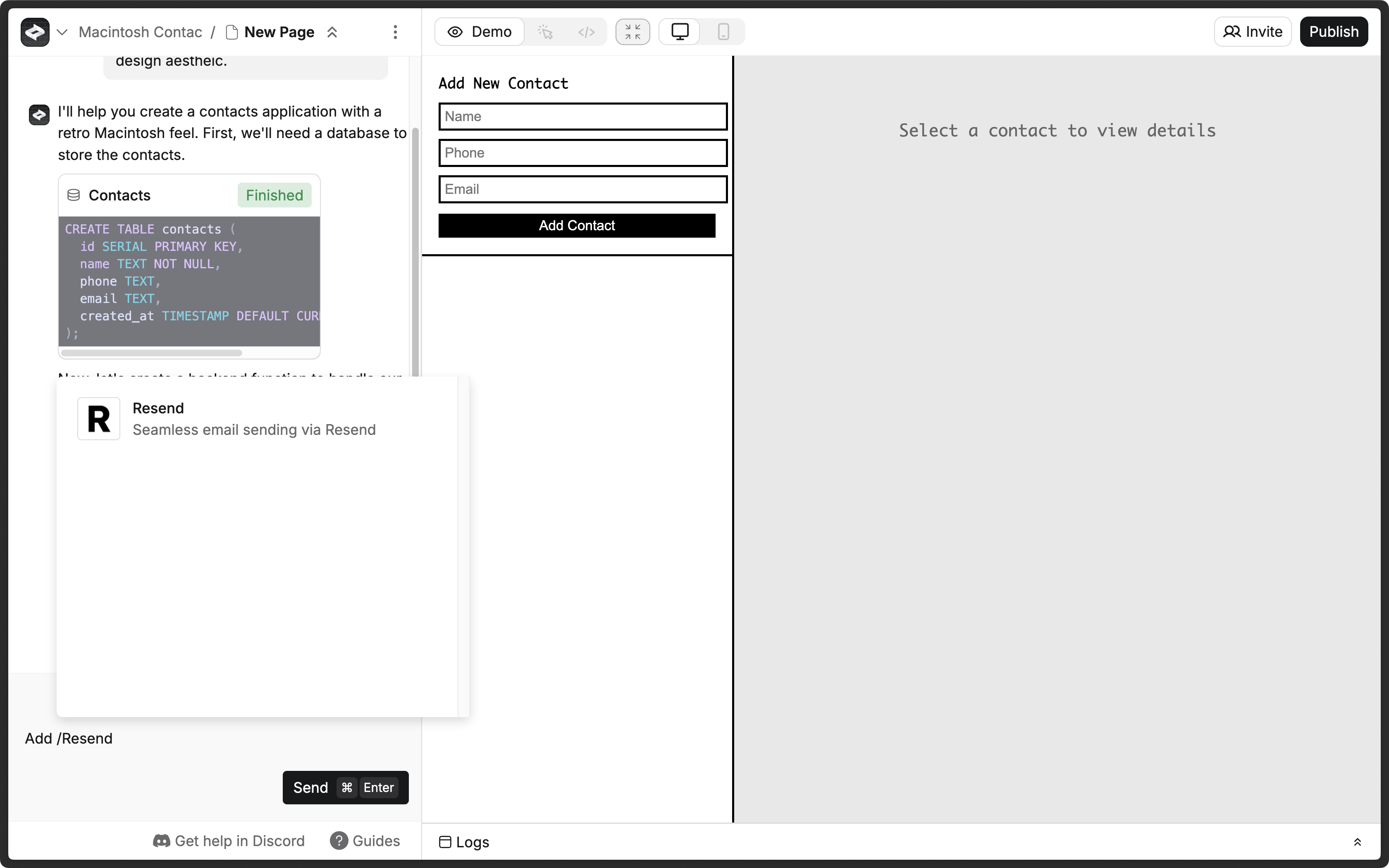
[
](#2-add-your-resend-api-key)
2. Add your Resend API key
Anything usually prompts you for a Resend API key, which you can add in the Resend Dashboard. If Anything doesn’t prompt you for a Resend API key, click the More options button and select Secrets. Click the Add new secret button.
- Name:
RESEND_API_KEY - Value: Your Resend API key (e.g.,
re_xxxxxxxxx0)
Learn more about Secrets in Create.
[
](#3-add-a-custom-domain-to-your-resend-account)
3. Add a custom domain to your Resend account
By default, you can only send emails to your own email address. To send emails to other email addresses:
- Add a custom domain to your Resend account.
- Add the custom domain to the
fromfield in theresendfunction in Create.
Learn more about Functions in Create.